 Français
 English

qBittorrent
Full-featured open-source BitTorrent client. Modern, lightweight interface, no ads. Advanced management of .torrent files and magnet links.
Discover →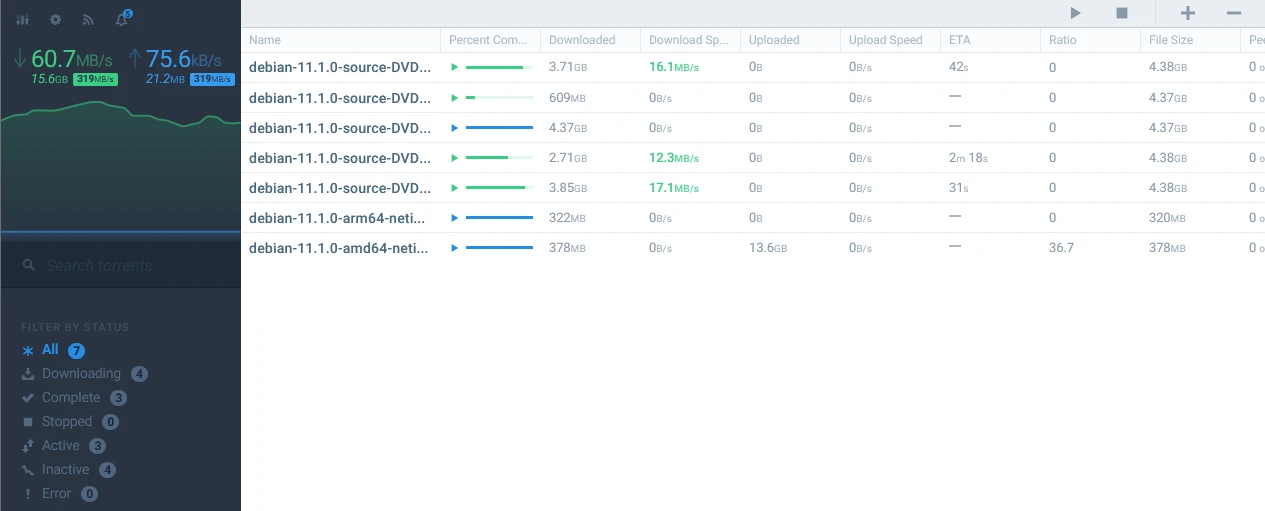
Your USeed seedbox integrates the best open-source transfer management applications. Use the BitTorrent protocol to exchange large data volumes, with encrypted connections and 10 Gbps bandwidth.
5 BitTorrent clients to choose from, installable in one click from your console.
Full-featured open-source BitTorrent client. Modern, lightweight interface, no ads. Advanced management of .torrent files and magnet links.
Discover →
Sophisticated web interface for rTorrent. Rich plugins, fine ratio management. Preferred solution by advanced users.
Discover →
Modern and responsive interface for managing your transfers. Clean design, optimized user experience.
Discover →
Modular client extensible via plugins. Full web interface and console mode for fine-grained control of your transfers.
Discover →
Minimalist and efficient client. Reduced resource consumption, clean web interface. Ideal for discreet use on your seedbox.
Discover →A proven peer-to-peer technology, built into your seedbox.
Peer-to-peer protocol without single point of failure.
Optimized transfers for large files.
Audited code, no ads, respectful of your privacy.
Protocol encryption between peers and HTTPS access to your seedbox.
From order to accessing your data, in 4 steps.
From €4/month and up to 4 TB of storage, with VPN included.
One-click installation from your console.
Your seedbox maintains connections 24/7.
SFTP, WebDAV, Nextcloud, or Plex/Jellyfin streaming.
Two complementary approaches to retrieve your files, each with its own strengths.
| Criterion | Direct Download | BitTorrent |
|---|---|---|
| Source | Single server | Peer network |
| Speed | Depends on server | Grows with peer count |
| Availability | Tied to server | As long as peers exist, the file is available |
| Resumption | Variable | Native, fragment by fragment |
| Integrity | Limited verification | Each fragment verified by hash |
On your USeed seedbox, both approaches coexist: BitTorrent via qBittorrent or ruTorrent, and direct download via pyLoad. BitTorrent excels for widely shared files. Direct download remains relevant for single sources or file hosters.
Not all BitTorrent applications are the same. The choice depends on your profile and needs.
For beginners
Clean interface, zero configuration, minimal footprint. Launch, download, done. Ideal for simple usage without extras.
Discover →For everyday use
Modern web interface, RSS feeds, built-in search engine, categories. The versatile choice, suited to most users.
Discover →For advanced users
Extensive plugin system, customizable themes, fine-grained ratio and scheduling management. ruTorrent is for those who want to control everything.
Discover →For aesthetics
Modern, clean interface for rTorrent, native dark theme, perfect for a pleasant daily experience.
Discover →A few simple habits to get the most out of your seedbox.
Use your client's categories and labels to separate downloads by type. One folder per category makes disk space management and export to streaming apps easier.
Your seedbox has a fixed capacity. Configure your client to limit simultaneous active downloads and remove completed files after a delay.
Your seedbox never sleeps. Transfers continue permanently, even when your computer is off. Retrieve your files at your own pace via SFTP, WebDAV, or Nextcloud.
FAQ
Everything you need to know about transfer management with USeed.
Centralized direct download retrieves a file from a single server. BitTorrent splits the file into fragments exchanged between multiple peers. The more sharers, the faster the transfer.
The proposed applications are open-source. Their source code is public and audited by the community, without backdoors or ads.
Yes. The BitTorrent protocol supports encryption of connections between peers. Your seedbox is accessible via HTTPS, and a VPN is included on all plans to encrypt all your network traffic.
Yes, multiple automation apps are available on USeed.
Transfer via SFTP, FTP, WebDAV, or Nextcloud synchronization. Or stream directly via Plex/Jellyfin without local downloading.
All our seedboxes include full BitTorrent protocol support, with VPN encryption and open-source software.